The best 4K LIVE IPTV service is one that has permission to distribute its content, remains stable during busy viewing hours, loads channels quickly, provides an accurate TV guide, and supports your preferred device. Test the service at peak time before choosing a long plan; a huge channel count cannot compensate for freezing streams or poor support.
Choosing an IPTV service can feel confusing because many sales pages repeat the same promises: thousands of channels, instant activation, 4K quality, and “zero buffering.” Those claims tell you very little about what the experience will be like in your home.
A better decision starts with measurable checks. This guide shows you how to evaluate 4K LIVE IPTV using playback stability, picture quality, device compatibility, support, EPG accuracy, and legal transparency.
Screenshot placeholder 1: A clean 4K LIVE IPTV home screen on a television. Alt text: 4K LIVE IPTV service interface on a 4K smart TV
IPTV means Internet Protocol Television: video delivered over an internet connection rather than a terrestrial antenna, cable line, or satellite dish. A live IPTV stream arrives as small data segments that your player buffers briefly and displays on the screen.
“4K” normally describes a picture with a resolution up to 3840 × 2160 pixels. The label alone does not prove that every channel is native 4K. Some streams are HD sources upscaled by the device or television, so the evaluation must include real picture detail, frame rate, and bitrate—not just the channel name.
The service must also have the rights to distribute the channels or programs it sells. IPTV is a delivery technology; legality depends on licensing, content rights, and the rules in the viewer’s country.
Seven Checks Before You Subscribe
Use the same test on every service. This makes the comparison fair and prevents a low introductory price from hiding weak performance.
Test area
What to verify
A strong result
Licensing
Clear information about content rights
Transparent ownership and terms
Live stability
Watch during local peak hours
No repeated freezes or reconnects
Channel loading
Open 10 varied channels
Most start within a few seconds
Picture quality
Inspect motion and fine detail
Stable resolution without heavy blocks
EPG
Compare listings with current programs
Correct titles, times, and time zone
Device support
Test on the device used daily
Smooth menus and hardware decoding
Support
Ask one technical question
Useful answer within the stated window
Run this test on your own connection. A provider’s demonstration may use a different country, server route, and device, so it cannot guarantee your result.
Test Stability Before Channel Count
Large playlist numbers look impressive, but most viewers repeatedly use a small group of favorites. Ten reliable channels are more useful than thousands of duplicated or unavailable entries.
During a trial, watch continuously for at least 20 minutes, then change channels several times. Test live motion such as a news ticker or a legally available sports broadcast because rapid movement exposes compression artifacts and frame drops more clearly than a static studio shot.
Repeat the test between 7 p.m. and 10 p.m. in your time zone. This is when home networks and streaming platforms are often busiest. If possible, test on a weekday and a weekend.
How Much Speed Does 4K Streaming Need?
Raw download speed is only one part of the answer. Google says its 4K streaming devices need at least 20 Mbps for 4K content, while Netflix recommends 15 Mbps or higher for its 4K UHD service. Live IPTV can be less forgiving, so practical headroom is useful. (Google requirements, Netflix speed guidance)
Quality
Practical connection target per stream
Best use
SD
5–10 Mbps
Small screens or limited data
HD
10–20 Mbps
Casual television viewing
Full HD
20–30 Mbps
Sports and large screens
4K
30–50 Mbps
UHD viewing with extra headroom
These are planning targets, not guarantees. Packet loss, Wi-Fi interference, server congestion, and unstable latency can cause buffering even on a 500 Mbps plan.
For a meaningful test, run a speed check beside the streaming device. Then compare Wi-Fi with Ethernet, if available. The speed measured beside the router does not describe the signal behind a television in another room.
Choose the Right Device and Player
A capable device makes menus more responsive and gives the player enough memory for the EPG and video buffer. It cannot repair a weak source, but it can remove local bottlenecks.
Popular options include:
Fire TV Stick 4K or 4K Max for a compact, affordable setup
Google TV Streamer for built-in Ethernet, 4 GB of memory, and 32 GB of storage
A certified Android TV or Google TV box for app flexibility
A recent smart TV for a simple setup without another remote
Apple TV when the selected legal player and service support tvOS
The player should support the login format supplied by the authorized provider. Common formats include an M3U URL (a playlist link), Xtream Codes-style credentials (server address, username, and password), and an XMLTV URL (the program-guide data source).
Never publish or share those credentials. Anyone with the details may be able to use the account.
Picture Quality: Native 4K vs Upscaling
Open a stream with detailed textures, text, and movement. Native 4K should preserve small detail better than HD, but aggressive compression can erase that advantage. Watch for blocky grass, smeared faces during movement, color banding in skies, and audio that drifts away from the picture.
Also inspect the player’s information panel when available. Resolution describes pixel dimensions; bitrate describes the amount of data used over time. Neither number alone guarantees quality, but together they make vague “ultra HD” claims easier to assess.
Your complete chain must support 4K: source, subscription tier, player, streaming device, HDMI connection, and television. If one part is limited to 1080p, the final output will not be native 4K.
Evaluate the EPG and On-Demand Library
An EPG, or Electronic Program Guide, supplies channel names, program titles, descriptions, and schedules. Check whether the guide uses your local time zone and whether several current programs match what is playing.
For video on demand, open titles from different categories rather than testing only the featured row. Check start time, seeking, subtitles, audio language, and whether playback resumes correctly after closing the app.
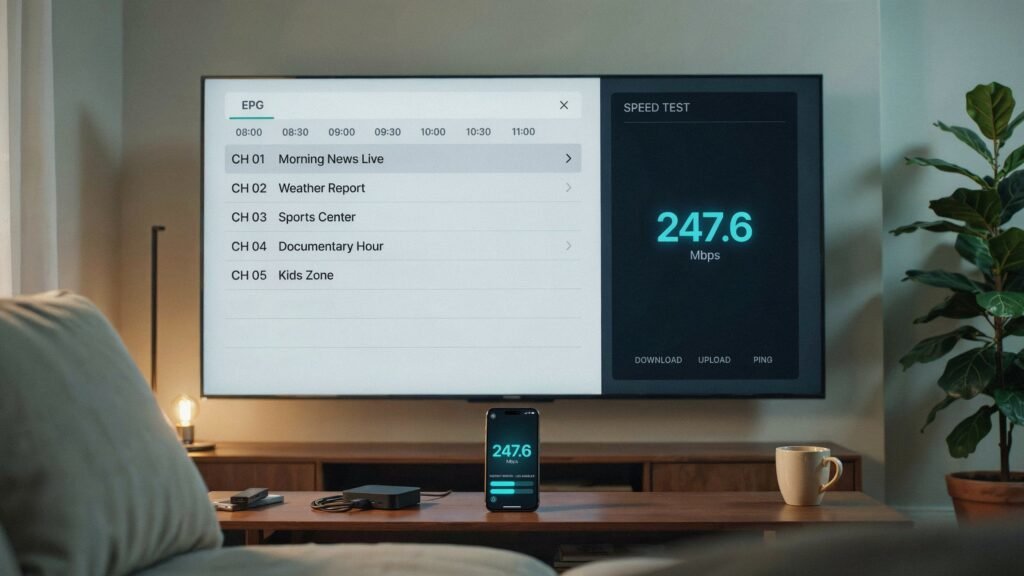
Screenshot placeholder 2: Split image showing an accurate EPG and a network speed result beside the TV. Alt text: 4K LIVE IPTV EPG and internet stability test
Support and Payment Warning Signs
Good support does more than send a copied installation message. Ask a specific question, such as which player setting is recommended for your device or how the time zone should be configured.
Be careful when a seller shows several of these signs:
No verifiable business identity or terms
No explanation of content licensing
Guaranteed access to every premium channel for an implausibly low price
Pressure to buy a long plan before testing
“Lifetime” access with no sustainable business model
Payment method with no buyer protection
Requests for remote access to your device
Reviews copied word-for-word across unrelated sites
A trial should not require unnecessary identity documents or access to your email account. Use a unique password and a payment method appropriate for online purchases.
A Repeatable 30-Minute Trial Plan
Connect the device through Ethernet or strong 5 GHz Wi-Fi.
Confirm the app is updated and at least 1 GB of storage is free.
Open ten licensed live channels from several categories.
Watch a high-motion stream continuously for 20 minutes.
Check guide accuracy and local time.
Start, pause, seek, and resume one on-demand title.
Ask support a genuine setup question.
Repeat the playback test during peak evening hours.
Record the results instead of relying on memory. The best 4K LIVE IPTV service for your home is the one that performs consistently on your connection and device while operating transparently and legally.
The best service is licensed for its content, stable at peak time, compatible with your device, and supported by clear terms and responsive help. Test it on your own network before purchasing a long subscription.
Is every channel on a 4K IPTV service really 4K?
No. A service may combine SD, HD, Full HD, and 4K sources. Some devices also upscale lower-resolution video. Check the player’s stream information and judge fine detail and motion rather than trusting a channel label.
Is 30 Mbps enough for 4K LIVE IPTV?
It can be enough for one efficient 4K stream, but 50 Mbps gives more headroom for other household traffic. Connection stability, packet loss, Wi-Fi quality, and provider capacity also affect playback.
Should I buy a yearly IPTV subscription immediately?
No. Start with a trial or short plan. Verify legality, evening stability, EPG accuracy, device support, and customer service before making a longer commitment.